 Adchestra
Google has no Search Console MCP server
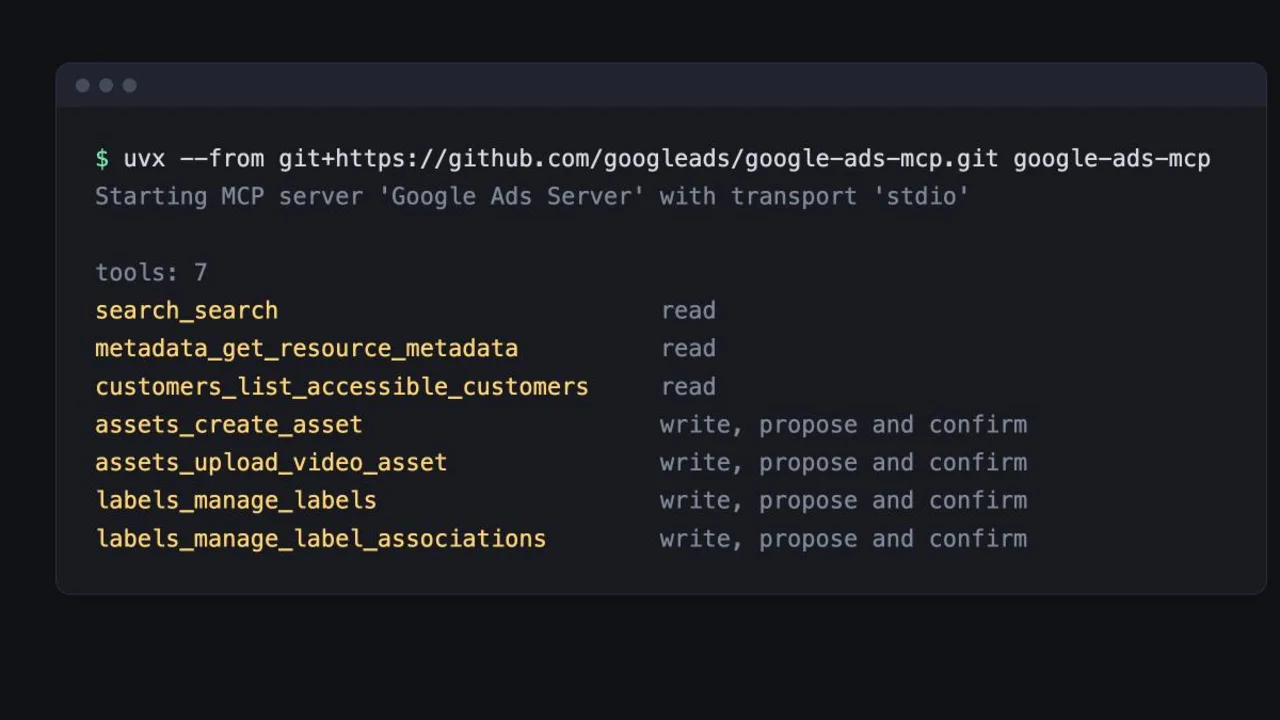
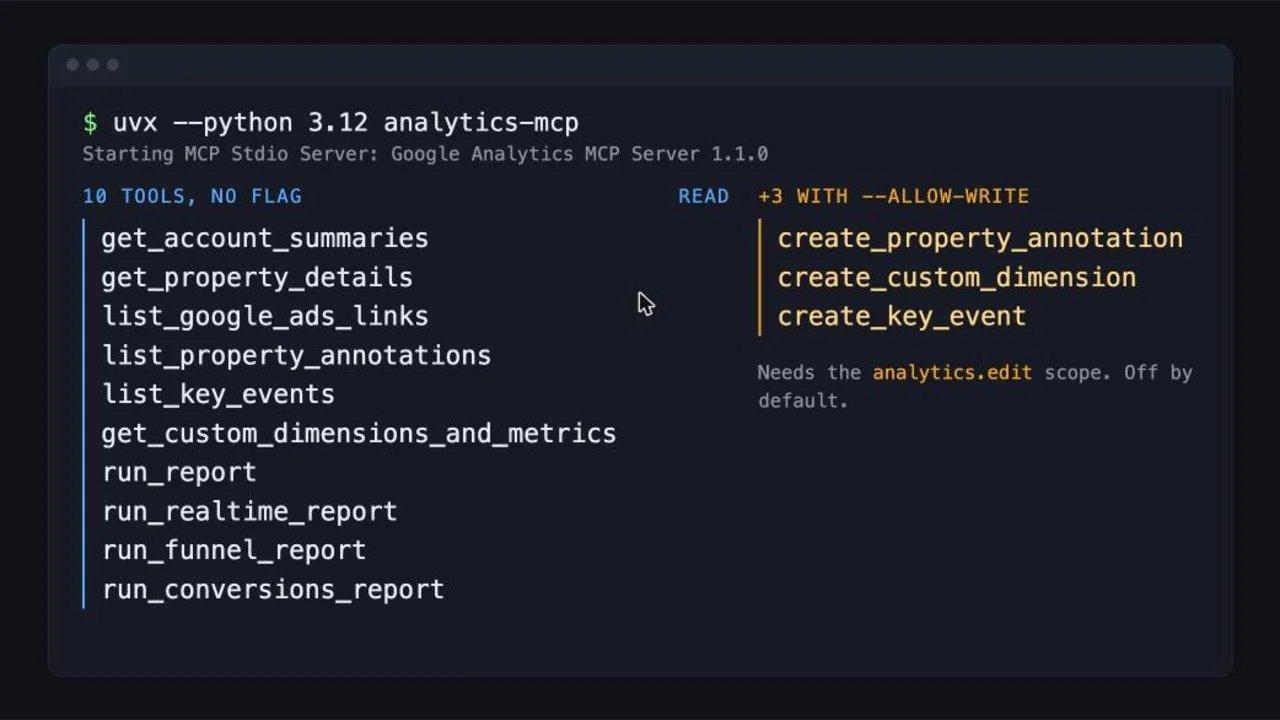
I searched for one before I wrote this. Google publishes an official MCP server (Model Context Protocol, the standard way to plug a tool into an AI assistant) for Google Analytics. For Search Console, the free Google tool that shows which searches bring people to your site, it publishes none. Every result for "google search console mcp" is a project from someone else. That is why this question gets so many searches: people expect a Google server and there is not one.
You still have two honest ways to give Claude your Search Console data, and the first one is free and takes about three minutes. The second one is a hosted connector, so Claude can ask Search Console questions live instead of reading a file. Both are complete below. Every prompt in this guide is one I ran on my own site, adchestra.com.
A word on terms. A query is the words someone typed into Google. An impression is one time your page appeared in the results. A click is one time someone chose it. Average position is where your page ranked: 1 is the top, 10 is the bottom of page one.
Which way is right for you
| Way | Cost | Setup time | What Claude can do | Pick it if |
|---|---|---|---|---|
| Export a report and upload it | Free | 3 minutes | Read the files you uploaded: queries, pages, countries, devices and dates for one date range, up to 1,000 rows each | You have one question today, or a small site |
| Adchestra (hosted) | 10 requests free, then a 14-day trial, then $2.95 a month | 3 minutes | Run Search Console reports live for any date range and compare periods. It reads Search Console and does not change it. It also works with Google Ads, GA4 and Tag Manager | You want to ask follow-up questions without exporting a new file every time |
| Write your own against the Search Console API | Free, plus your time | A day or more | Whatever you code | You are a developer and want full control |
My honest advice: start with the export. If you catch yourself exporting a new file every week, connect properly. The third way is not a guide, it is a warning: self-hosting means writing code against the Search Console API yourself with a service account (a Google user that is a robot). The setup is in my service account guide, and everything after that is yours to build.
Way 1: Export a Search Console report and upload it to Claude
No connection, no Google Cloud, no payment. You download your search data from Search Console and give it to Claude. This works on every Claude plan.
- Open search.google.com/search-console. Check the property name at the top left. If you have several, click it and pick the right one. A property is one site in Search Console.
- Click Performance in the left menu. It opens the Search results report.
- Set the date range. The buttons at the top say 24 hours, 7 days, 28 days, 3 months, and More has longer ones. I picked 3 months.
- Click Export at the top right.
- Choose Download CSV. The other two choices are Google Sheets and Download Excel.
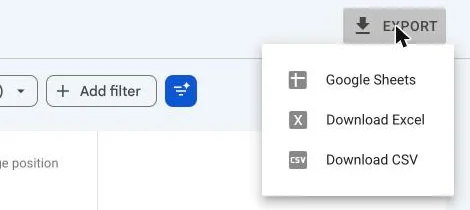
The download is a zip file, not one CSV. Inside are several CSV files, one per tab of the report: Queries, Pages, Countries, Devices, Dates, and more. Unzip it, or upload the files one at a time.
The 1,000-row limit
Google's help page on exporting data says a direct export from a report is limited to 1,000 rows. For a small site that is the whole table. For a bigger site, the file stops at the top 1,000 and the long tail is missing. Claude cannot tell you about rows it never got, so say how many rows the file has when you ask.
If you need everything, Google has a free bulk data export that sends your performance data every day to BigQuery, Google's data warehouse. Only a property owner can start it, and BigQuery charges for storage and queries above a free tier. Google explains it on Start a new bulk data export. It is the right tool for a large site and too much for a first try, so I did not set it up for this guide.
Ask Claude about the file
In Claude, click the plus button in the message box, choose Upload or add files, pick the CSV files and send a question:
These are my Search Console Performance exports for the last 3 months: queries, pages and dates. Use only the numbers in the files and do not look anything up elsewhere.
1. Which queries bring the most impressions, and where do I rank for them?
2. Which pages get many impressions but few clicks?
3. Which queries rank between position 8 and 20, where a small improvement could move them to page one?
If something is missing from the files, say so. Do not guess.
That is the limit of this way. Every follow-up question about a different period means another trip to Search Console and another file.
Way 2: Connect with Adchestra
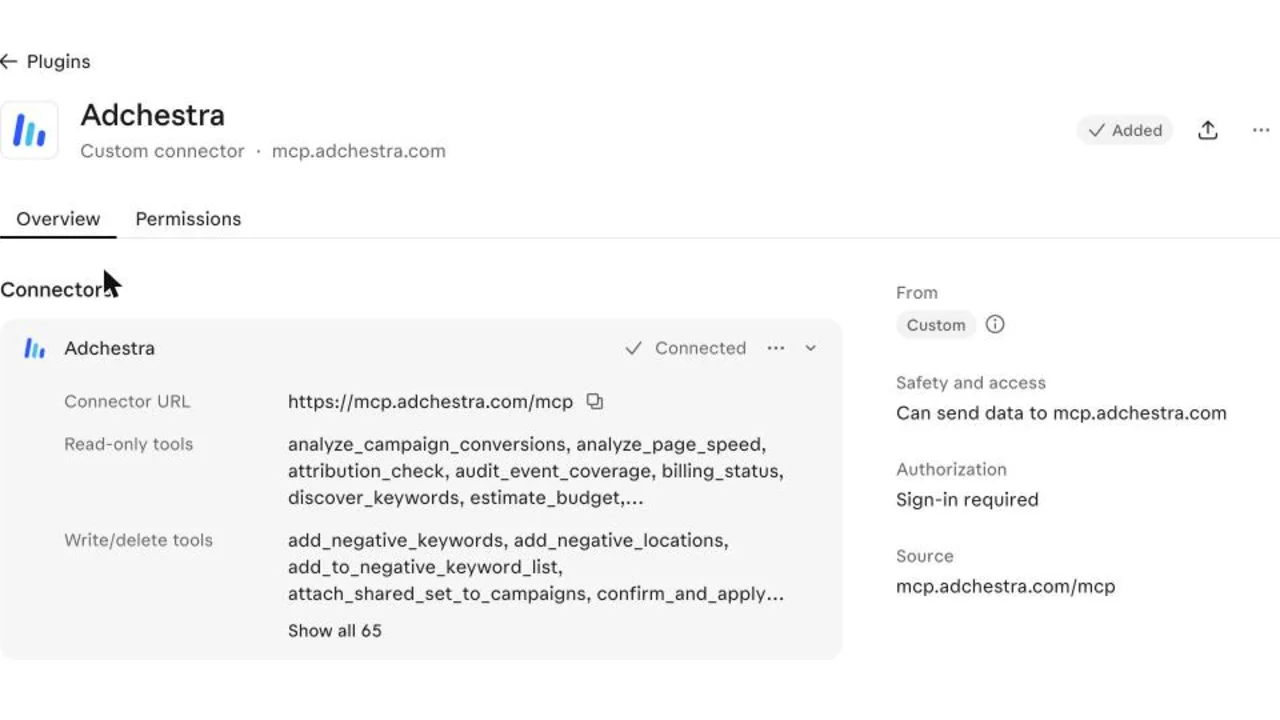
Adchestra is the hosted connector I built with my co-founder. It runs on Adchestra's servers, so you install nothing and you need no Google Cloud project. You paste one address into Claude and sign in with Google. It reads Search Console. It does not change it.
It works in Claude on the web, Claude Desktop and Cowork. Custom connectors are available on every Claude plan, and the free plan is limited to one custom connector.
- In Claude, click Plugins in the left menu. On older menus, open Customize, then Connectors.
- Click Add at the top right, then Add custom connector.
- In Name, type
Adchestra. - In MCP server URL, paste the address below. Click Continue.
- Keep Sign in now and Use Claude’s published identity selected, then click Add.
- Google sign-in opens. If it does not, click Connect on the Adchestra connector. Choose the Google account that can open your Search Console property, read the permissions and continue.
https://mcp.adchestra.com/mcpOn a Team or Enterprise plan, an owner adds the connector for the organization first. After that each person connects their own Google account.
Claude sees exactly the properties your Google account can see. If one is missing, the fix is in Search Console, not in Claude: an owner of that property adds your email under Settings, Users and permissions. Google describes the roles on its permissions page.
Adchestra reads and changes Google Ads and GA4, and reads Tag Manager and Search Console. Every change is shown to you as a preview first and is applied only after you approve it. You get 10 free requests with no card, then a 14-day trial, then $2.95 a month.
Check that it works, then ask real questions
Start a new chat. The first question should be one Claude cannot answer from memory: which properties it can see. Mine are domain properties, so they appear as sc-domain:adchestra.com and so on. A domain property covers every address on the domain, with and without www.
If Claude says it has no access
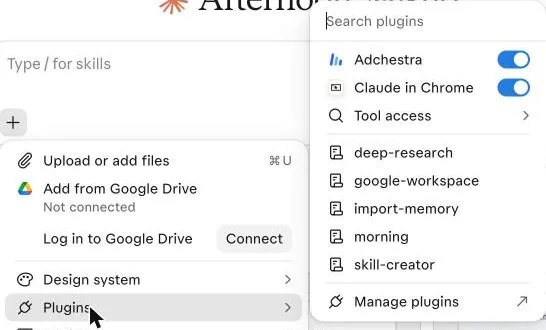
This one catches people. The connector is added and signed in, and Claude still says it cannot use it. A connector can be switched off for a single chat. Click the plus button in the message box, open Plugins (or Connectors) and check that the switch next to Adchestra is on.
Four questions worth asking
Each of these I ran through the connector on my own property. Replace example.com with your property name.
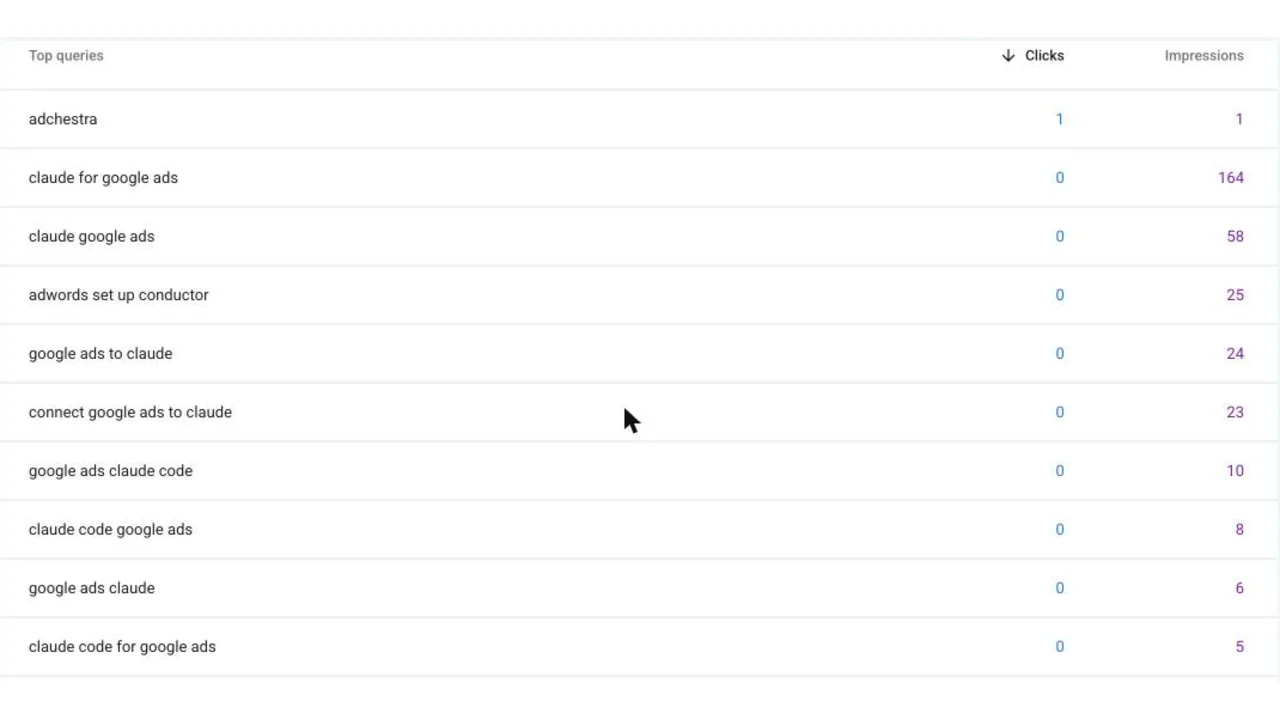
Which Search Console properties can you see? Then, for the property example.com, show the top 15 queries for the last 90 days with clicks, impressions and average position, as a table sorted by impressions. Read only. Do not change anything.Claude listed my three properties, ran the report and said exactly which dates it covered. It also told me the property had 34 queries in total, instead of padding the list.
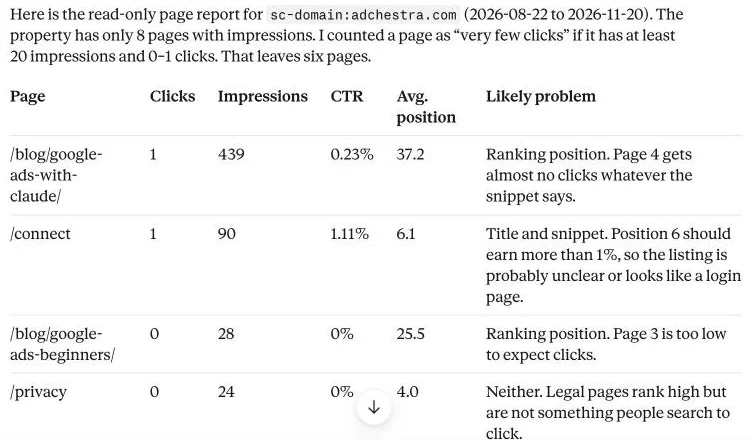
Now pages. For example.com, show every page with at least 20 impressions in the last 90 days and very few clicks, with clicks, impressions, CTR and average position. For each one, say in one line whether the problem is more likely the ranking position or the title and snippet. Read only.The last sentence is the useful part. A page at position 37 has a ranking problem, because nobody scrolls that far. A page at position 6 with almost no clicks has a snippet problem: the title and description Google shows are not making people click. Claude told them apart, and it said that legal pages ranking high are neither.
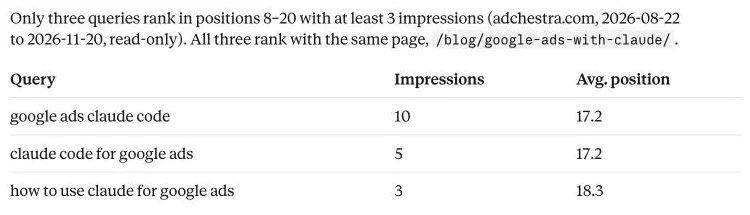
Now the queries that rank in positions 8 to 20 for example.com over the last 90 days, with at least 3 impressions. Show query, impressions and average position, and tell me which of them deserve a page or a rewrite first, and why. Read only.These are the queries that sit just below or at the bottom of page one, where a better title or a new section can pay off. Claude found three, saw that all three pointed to the same page, and ranked the work by which page already had the right topic. It also pointed out that one more query sat at 20.3 and just missed my cut, which is the kind of thing a fixed filter hides.
Compare the last 28 days with the 28 days before that for example.com, by query, with impressions and average position for both periods. Which queries are new, and which moved the most? Read only.This is where a connection beats an export. Claude ran two reports, lined them up and listed the new queries. It also noted that Search Console's last day or two are still incomplete, so the newest window can look smaller than it will be. Keep that in mind with any date range that ends today.
Keep an eye on the numbers
Claude asks before it runs a tool. For Search Console reports, Always allow is fine, because the connector only reads. Averages hide detail, so when Claude says a query "moved from 42 to 37", ask for the page and the dates before you rewrite anything.
Using Claude Cowork?
Cowork is the part of Claude that takes a longer job, works through it in steps and hands you a finished file, such as a document or a spreadsheet. A connector you added once works there too. You do not add it again.
On my account there is no Cowork button any more. I describe the longer task in a normal chat and Claude runs it as a task, with a progress panel on the right. Anthropic says accounts with the older layout have a Cowork button below the message box.
Before you start, check that the connector is on for that task: click the plus button in the message box, open Plugins (or Connectors) and look at the switch.
For jobs that suit Cowork, with the prompts I ran on a real account, see How to use Claude Cowork for Google Ads.
Frequently asked questions
Does Google have an official Search Console MCP server?
No. Google publishes an official MCP server for Google Analytics, but none for Search Console. A search for it returns only projects from other people. Treat those like any code you would run on your computer: read what it asks for before you give it access to your site data.
Is there a Search Console MCP URL I can paste into Claude?
Google does not run one. To paste an address into Claude, you need a hosted connector such as Adchestra, whose address is https://mcp.adchestra.com/mcp. The other way is to write your own program against the Search Analytics API and host it yourself.
Why is my Search Console export only 1,000 rows?
That is Google's limit for a direct export from the report, as its export help page says. The API can return more, up to 50,000 rows a day per site and search type according to Google's own explanation. The free bulk data export to BigQuery has no such cap.
Why can Claude not see one of my properties?
Claude sees what the Google account you signed in with can see. Check in Search Console, under Settings and Users and permissions, that this account is listed on that property. If you have several Google accounts, make sure you signed in with the right one.
Can I connect ChatGPT or Gemini the same way?
The export works with any assistant that reads files. A hosted connector works wherever you can add an MCP address. My guide to adding an MCP server to ChatGPT has the clicks for ChatGPT.
Does this work in Claude Cowork?
Yes. A connector you add in Claude is also available in Cowork, so your Search Console connection needs no second setup. Check that its switch is on for the task. A server on your own computer only works in a Cowork session that runs on that computer.