 Adchestra
Yes, Google has an official Google Ads MCP server
More than a thousand people a month search Google for a Google Ads MCP server, and the first thing they want to know is whether one exists. So here is the answer first. Yes. Google publishes one, it is free, and the code is on GitHub. Google also has its own setup page.
An MCP server (Model Context Protocol) is a small program that gives an AI assistant a set of tools. Claude, ChatGPT and Codex are the clients: they ask the server to run a tool, and the server does it.
The catch is that Google gives you the program, not a service. Nobody hosts it for you. You install it, you run it on your own computer and you sign in with your own Google Cloud project. This guide says what it can and cannot do, what you need, and the exact steps for Claude Desktop, Claude Code and Codex. Plan on an hour, or longer if Google refuses your project (more on that below).
For every way to connect Claude to Google Ads, read How to connect Claude to Google Ads. This guide is the long one about Google's server.
Google's server, Adchestra Local and Adchestra
| Route | Cost | Who runs it | Setup time | Reads | Writes | Other Google products |
|---|---|---|---|---|---|---|
| Google's official server | Free | You, on your own computer, with your own Google Cloud project | About an hour | Any Google Ads report | Assets and labels only, after a propose and confirm step. It cannot create campaigns, keywords or budgets | None. Google Ads only |
| Adchestra Local | Free | You, on your own computer, with your own Google Cloud project | About an hour | Google Ads reports | Campaigns, keywords, ads and budgets, each applied only after you approve it | None. Google Ads only |
| Adchestra | 10 requests free with no card, then a 14-day trial, then $2.95 a month | Adchestra, hosted. You install nothing | 3 minutes | Google Ads, Google Analytics 4, Tag Manager and Search Console | Google Ads and GA4, each change previewed and applied only after you approve it | GA4, Tag Manager and Search Console |
My advice: if you mostly want reports and you like a terminal, Google's server is a good free choice. If you want Claude to build and change campaigns, it is the wrong tool, and no setting changes that. Everything below is about Google's server.
What the server can and cannot do
I started the server on my Mac and asked it for its tool list. It has exactly seven tools. Three read, four write.
search_search                         read
metadata_get_resource_metadata        read
customers_list_accessible_customers   read
assets_create_asset                   write
assets_upload_video_asset             write
labels_manage_labels                  write
labels_manage_label_associations      write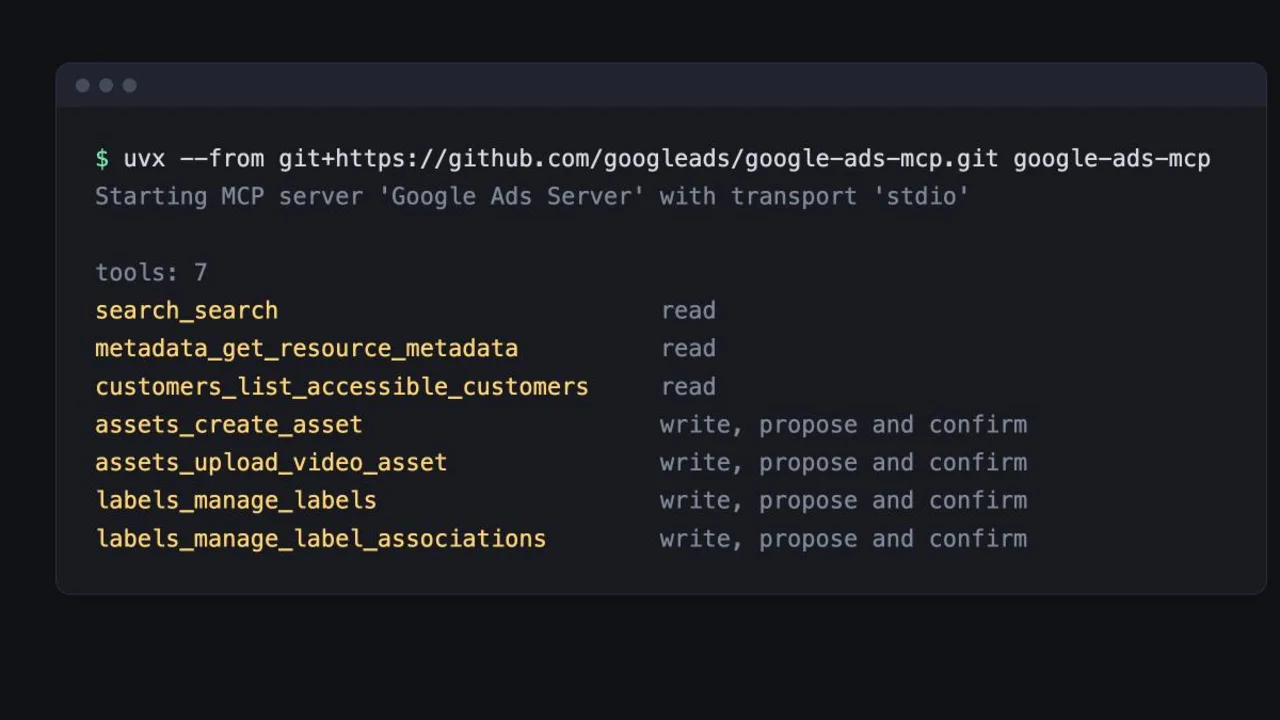
The reading tools
search_searchruns a GAQL query. GAQL is the Google Ads Query Language, a plain way to ask for rows like "campaign name and cost for the last 30 days". Claude writes the query, so you do not have to. This one tool reads campaigns, keywords, search terms, ads, budgets, conversion actions and everything else the API exposes.metadata_get_resource_metadatatells Claude which fields it may ask for on a given resource. It stops Claude from guessing field names.customers_list_accessible_customerslists the account IDs your sign-in can open.
The writing tools
assets_create_assetcreates standalone assets: text, images, YouTube videos, sitelinks, callouts and structured snippets.assets_upload_video_assetuploads a video from your computer to YouTube so it can become a video asset.labels_manage_labelscreates, renames and removes labels.labels_manage_label_associationsputs a label on a campaign, ad group, keyword or the whole account, or takes it off.
All four use a propose and confirm step, as the README describes. First the tool only checks the change and shows what it would do. Then, after you approve, Claude repeats the call with a checksum from the first step to apply it. Google's page is honest about this: the checksum stops the change from drifting between the two steps, but it is not a lock. If you want a server that cannot write at all, turn the write tools off (step 6).
What it cannot do
Google's page lists the limits itself. The server cannot create, change, pause or enable campaigns, ad groups, ads, budgets or bids. It cannot add keywords. It cannot attach an asset it created to a campaign or ad group, so a new sitelink exists in your account and then sits there until you attach it by hand. And it only knows Google Ads. Analytics, Tag Manager and Search Console are other servers.
Is there a server URL, a token or a Docker image
Three questions come up again and again.
Where is the server URL
There is none, because Google does not host the server. The normal setup does not use a URL at all: Claude starts the program on your computer and talks to it directly. This is called stdio.
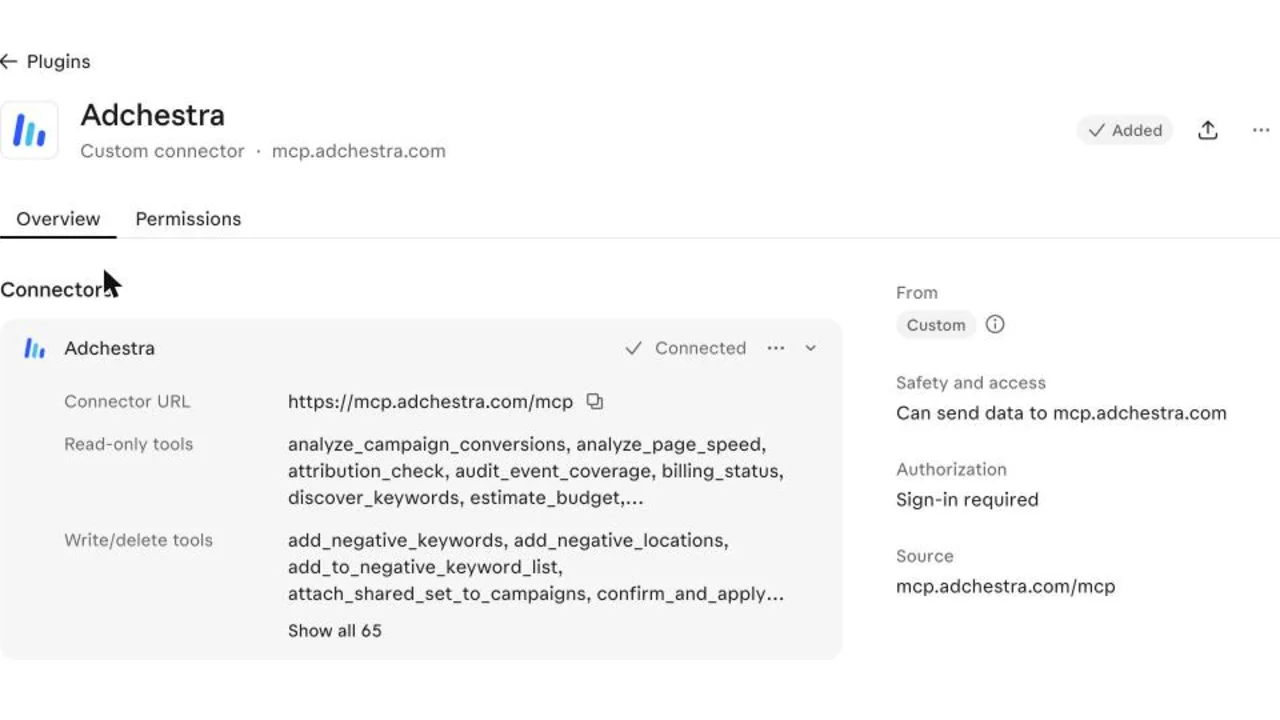
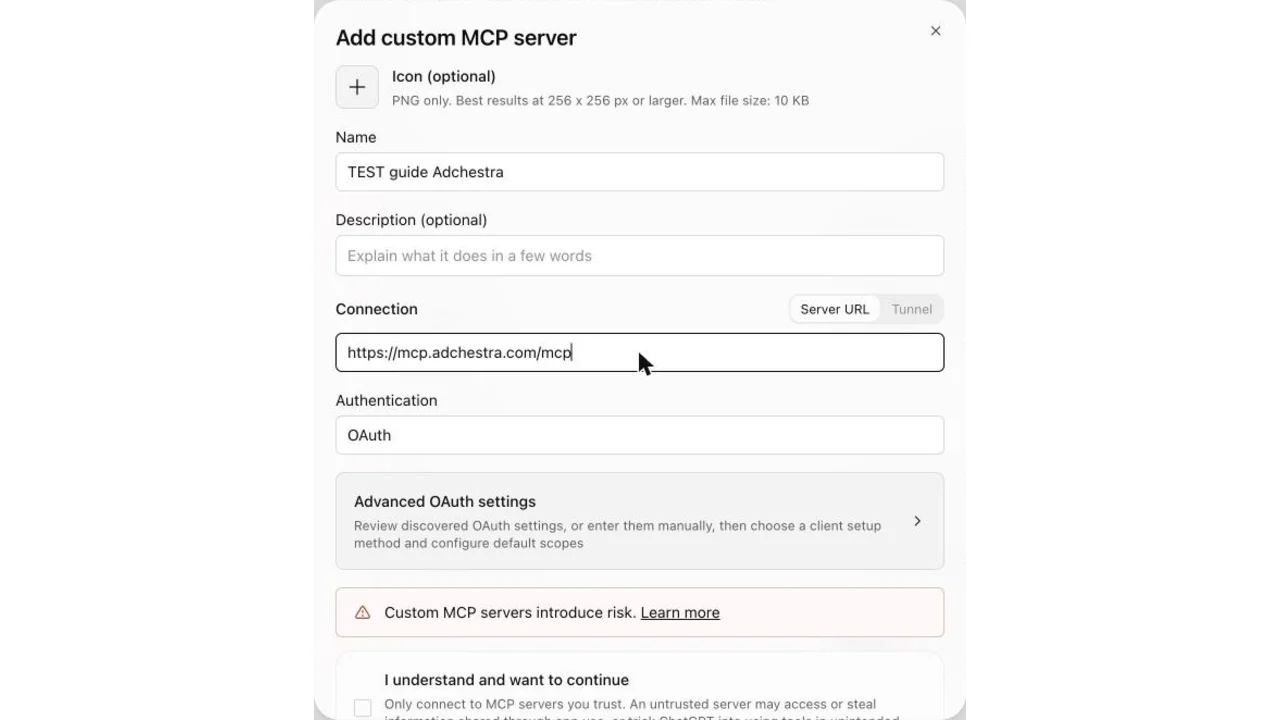
The server can also run as a web service, and then it does have an address. Run it on your own computer and the README says the address is http://localhost:8080/mcp. Deploy it to Google Cloud Run, which Google's page also covers, and the address is your own Cloud Run link ending in /mcp. That mode needs a web OAuth client, and it is more work than most people want. If you want a ready address to paste, that is what a hosted connector like Adchestra's https://mcp.adchestra.com/mcp is for.
Do I need a token
Not the one you have read about. Tutorials from before this autumn tell you to apply for a developer token. Google retired developer tokens on 9 September 2026. Access is now given to a Google Cloud project instead, and you do not put a token in the configuration.
You still sign in. That sign-in saves a credentials file on your computer, and the server uses it. Treat that file like a password.
Does it run in Docker
Yes, but only if you build the image yourself. The README has the commands for Docker and Podman. Someone has asked Google to publish a ready image and that request is still open. The container runs in the web mode above, so it also needs the web OAuth client. For one person on one computer, I would skip Docker.
Is it free
Yes. The server and the Google Ads API cost nothing. Explorer access allows 2,880 operations a day, which is plenty for reporting.
What you need before you start
- A Google Cloud project with the Google Ads API switched on. The project is free to create.
- Explorer access for that project. Explorer is Google's permission to touch real accounts. Without it the server only works on test accounts. Explorer is also not allowed to use Keyword Planner.
- Python 3.11 or newer. The README says 3.11 and Google's page says 3.10. I would use 3.12, because one person who got a startup error on Python 3.14 fixed it by switching to 3.12.
- pipx or uvx. Both are small tools that download and run a Python program in its own box. Google's page uses pipx. I ran the server with
uvxfrom uv, and it worked the same way. - The gcloud command line, Google's tool for signing in from a terminal.
- A Google Ads account your Google user can open.
Create the project, switch on the API and apply for Explorer
- Open the Google Cloud console. Click the project picker at the top, then New project. Name it something like
google-ads-mcpand click Create. - Open the Google Ads API page with that project selected and click Enable. This gives the project Test access.
- On the Google Ads API Overview page, check that the current level says Test. Expand Upgrade access level, check that the next level is Explorer and click Apply for access. These are the steps from Google's page.
Google says it may approve this automatically. Often it does, within a minute.
If Google refuses Explorer
Some people are refused. Since October, users report in a GitHub thread that new projects are rejected within seconds, with no reason and no email. People there tried a paid billing account, removed billing and finished brand verification. Several were still refused. The Google maintainer answered that it is not an MCP problem, that it is being investigated, and pointed to API support and Google's Discord server. No fix has been confirmed in the thread.
Google's own known-issues note says the cause can be a project on the Google Cloud Free Trial or with a suspended billing account. It suggests upgrading to a paid account or using a different project. That note is written for Basic access, and it does not say whether it applies to Explorer, so it may not help you.
What I would do: try a second, clean project once. Then stop. If it still says no, the problem is on Google's side and nothing in the server can fix it. A hosted connector brings its own approved access, which is why Adchestra does not ask you for any of this.
Create a sign-in client and sign in with gcloud
The server needs a credentials file that proves it may act for you. You get it by signing in once from your terminal.
- In the Cloud console, open Google Auth Platform and set it up if it is empty. Choose External. Add your own Google email under Audience, Test users. Google explains this in Manage OAuth clients.
- Open Clients, click Create client, choose Desktop app and click Create. Click Download JSON and save the file somewhere safe. This is your client file.
- Install the gcloud command line, then run the command below in your terminal with the path to your client file.
- A browser opens. Sign in with the Google user that can open your Google Ads account and allow the permissions.
- When it finishes, the terminal prints
Credentials saved to file:and a path. Copy that path. You need it in the next step.
gcloud auth application-default login \
  --scopes=https://www.googleapis.com/auth/adwords,https://www.googleapis.com/auth/cloud-platform \
  --client-id-file=/path/to/your-client-file.json
This command comes straight from the README. Google asks for a passkey on some new sign-ins, so have your phone ready.
One annoyance to know about now. While your consent screen is in Testing, Google expires the sign-in after seven days, and the server then fails with an authentication error. Run the same command again to fix it.
Add it to Claude Desktop
Claude Desktop starts the server for you. A server on your computer does not work in Claude on the web.
- In Claude Desktop, open Settings, then Developer, then click Edit Config. A file named
claude_desktop_config.jsonopens. - Add the block below inside the file. If the file already has an
mcpServerssection, add only thegoogle-ads-mcppart inside it. - Replace the two values with your credentials path and your project ID, which is on the project picker in the Cloud console.
- Save, then fully quit Claude Desktop and open it again.
{
  "mcpServers": {
    "google-ads-mcp": {
      "command": "pipx",
      "args": ["run", "--spec", "google-ads-mcp==0.0.6", "google-ads-mcp"],
      "env": {
        "GOOGLE_APPLICATION_CREDENTIALS": "PATH_TO_CREDENTIALS_JSON",
        "GOOGLE_CLOUD_PROJECT": "YOUR_PROJECT_ID"
      }
    }
  }
}
I pinned version 0.0.6, which is the version Google's page shows. The README's version follows the main branch with git+https://github.com/googleads/google-ads-mcp.git instead, which gets you new features first and new bugs first. If Claude says it cannot start the server, the usual cause is that Claude Desktop cannot find pipx. Run which pipx in a terminal and put that full path in command.
Add it to Claude Code or Codex
Both have a command that does the same job as the config file. Run one of them in your terminal.
claude mcp add google-ads-mcp \
  -e GOOGLE_APPLICATION_CREDENTIALS=PATH_TO_CREDENTIALS_JSON \
  -e GOOGLE_CLOUD_PROJECT=YOUR_PROJECT_ID \
-- pipx run --spec google-ads-mcp==0.0.6 google-ads-mcpcodex mcp add google_ads \
--env GOOGLE_APPLICATION_CREDENTIALS=PATH_TO_CREDENTIALS_JSON \
--env GOOGLE_CLOUD_PROJECT=YOUR_PROJECT_ID \
-- pipx run --spec google-ads-mcp==0.0.6 google-ads-mcpStart a new session after adding the server. In Claude Code, type /mcp to see whether it is connected. The README also lists a second Codex route for the web mode, codex mcp add google_ads --url http://localhost:8080/mcp followed by codex mcp login google_ads. It only works if you are running the server in that mode.
If you use a manager account
A manager account (also called an MCC) is a Google Ads account that sits above other accounts and opens them for you. Agencies use it. If you reach your account through one, the server must know which manager to go through, or the call fails with a permission error that tells you nothing.
Set it once in the env section, with the 10 digits and no hyphens. The README shows the same setting.
"GOOGLE_ADS_LOGIN_CUSTOMER_ID": "YOUR_MANAGER_CUSTOMER_ID"In Claude Code and Codex, add -e GOOGLE_ADS_LOGIN_CUSTOMER_ID=... or --env GOOGLE_ADS_LOGIN_CUSTOMER_ID=.... You can also tell Claude the manager ID in your prompt, because every tool accepts a login_customer_id.
Turn the write tools off
If you only want reports, switch the write tools off. Then Claude cannot write, however it is asked. Save the file below as tools_config.yaml. Any tool group you leave out is disabled. This is the read-only setup Google describes.
namespaces:
  customers: true
  search: true
  metadata: true
Then add one more variable to the env section, pointing at that file.
"GOOGLE_ADS_MCP_TOOLS_CONFIG": "/full/path/to/tools_config.yaml"Check that Claude can see your account
Start a new chat in Claude Desktop, or a new session in Claude Code or Codex. The README suggests asking what the server can do. I would go straight to a question about your own account.
What Google Ads accounts do I have access to? Then list the enabled campaigns in the first one with campaign name, type and daily budget. Read only. Do not change anything.If Claude answers with your real campaign names, you are done. After that, try a question that needs a query:
For customer ID 1234567890, show the search terms from the last 30 days that cost money and are clearly not people looking to buy what I sell. Show the cost and the campaign. Read only.For reading, allowing every call is fine. For the write tools, keep it on "allow once" and read the proposed change first.
When it breaks
These are the failures people actually report, with the fix that worked for them.
"The Google Cloud project is only approved for use with test accounts"
The tool call fails with CLOUD_PROJECT_NOT_APPROVED_FOR_PRODUCTION. Google's page says this is what you get without Explorer, Basic or Standard access. Apply for Explorer (step 1). If Google refuses, see the section on refusals above.
The server does not start, or says a module is missing
After an update, one user got ModuleNotFoundError: No module named 'pydantic' on Python 3.14. The fix was Python 3.12. Pin the server version as in the config above, and use Python 3.12 if you can choose.
Every call hangs on Windows
One user reported that, on Windows, every tool call hung forever although the server started and listed its tools. That issue is closed, but the thread is where to look if it happens to you. Update to the newest version first.
A permission error with a manager account
Set GOOGLE_ADS_LOGIN_CUSTOMER_ID (step 5).
It worked last week and now says authentication failed
If your consent screen is in Testing, the sign-in expires after seven days. Run the gcloud auth application-default login command again.
Frequently asked questions
Does Google Ads have an official MCP server?
Yes. Google publishes it for free at github.com/googleads/google-ads-mcp. You run it yourself with your own Google Cloud project. Google does not host it.
Is the Google Ads MCP server read-only?
It reads everything the Google Ads API exposes. It can also write assets and labels, but never campaigns, keywords or budgets, and every write needs a propose and confirm step. You can turn the write tools off completely in a small config file, as in step 6.
Can the Google Ads MCP server make changes?
Only to assets (text, images, videos, sitelinks, callouts, structured snippets) and labels. It cannot create or change campaigns, ad groups, ads or budgets, and it cannot attach an asset to a campaign. For that you need Adchestra Local or Adchestra, which can also change those things after you approve a preview.
What is the Google Ads MCP server URL?
There is none for Claude Desktop, Claude Code or Codex in the normal setup, because the program runs on your computer. In web mode it listens at http://localhost:8080/mcp on your machine, or at your own Cloud Run address ending in /mcp. Google does not give you a public one.
Do I need a developer token?
No. Google retired developer tokens on 9 September 2026. You need a Google Cloud project with Explorer access, and a sign-in that saves a credentials file.