 Adchestra
You no longer get a developer token
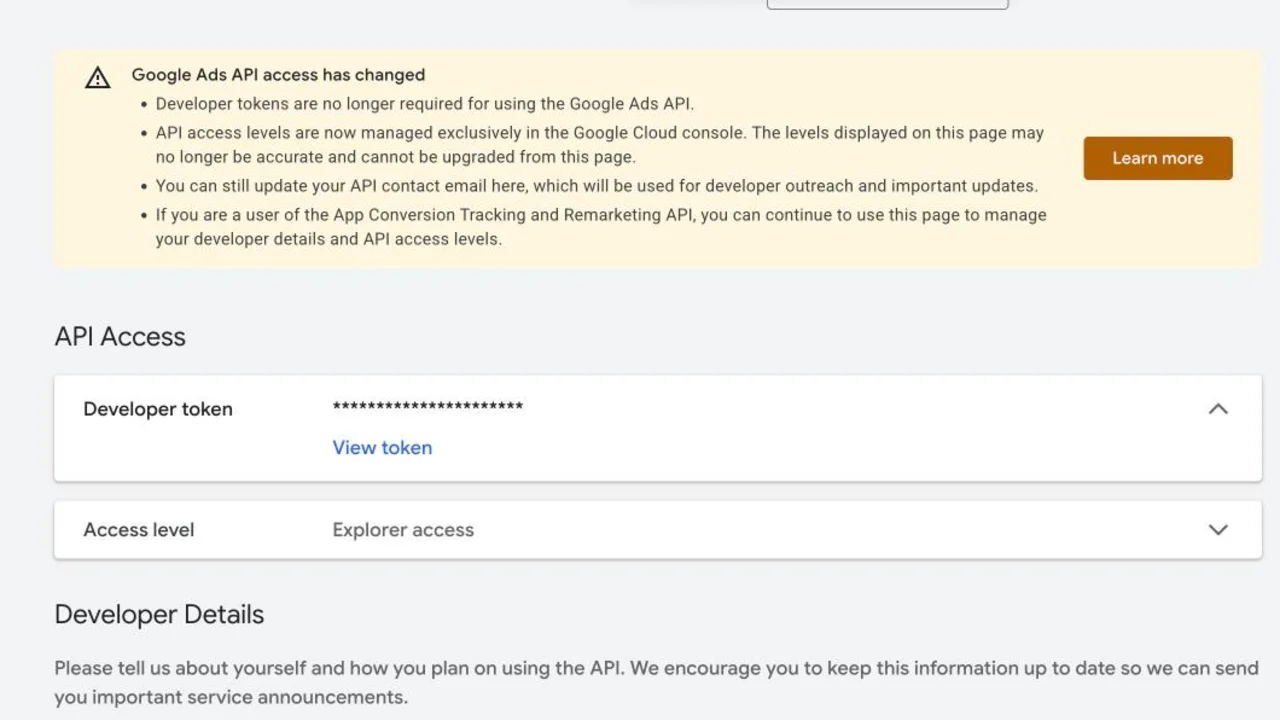
I opened the API Center in my Google Ads manager account this week, looking for the page where I once got my developer token. At the top there is now a yellow box that says "Google Ads API access has changed". The first line says developer tokens are no longer required.
Here is the short answer. Google retired developer tokens on September 9, 2026 (Google's developer token page). API access is now given to a Google Cloud project, which is the container in Google's cloud that holds your API settings and your sign-in credentials. You enable the Google Ads API in that project, then apply for an access level on the Google Ads API Overview page in the Cloud console (Google's access levels page). A token you already have still works, but Google's servers ignore it.
That is the honest answer to the title. Most guides on the web still describe the old process. This guide covers the new one, what happens to old tokens, the errors you still meet, and one problem Google has not fixed: Explorer applications refused within a minute. It takes about 15 minutes if Google says yes.
How it used to work
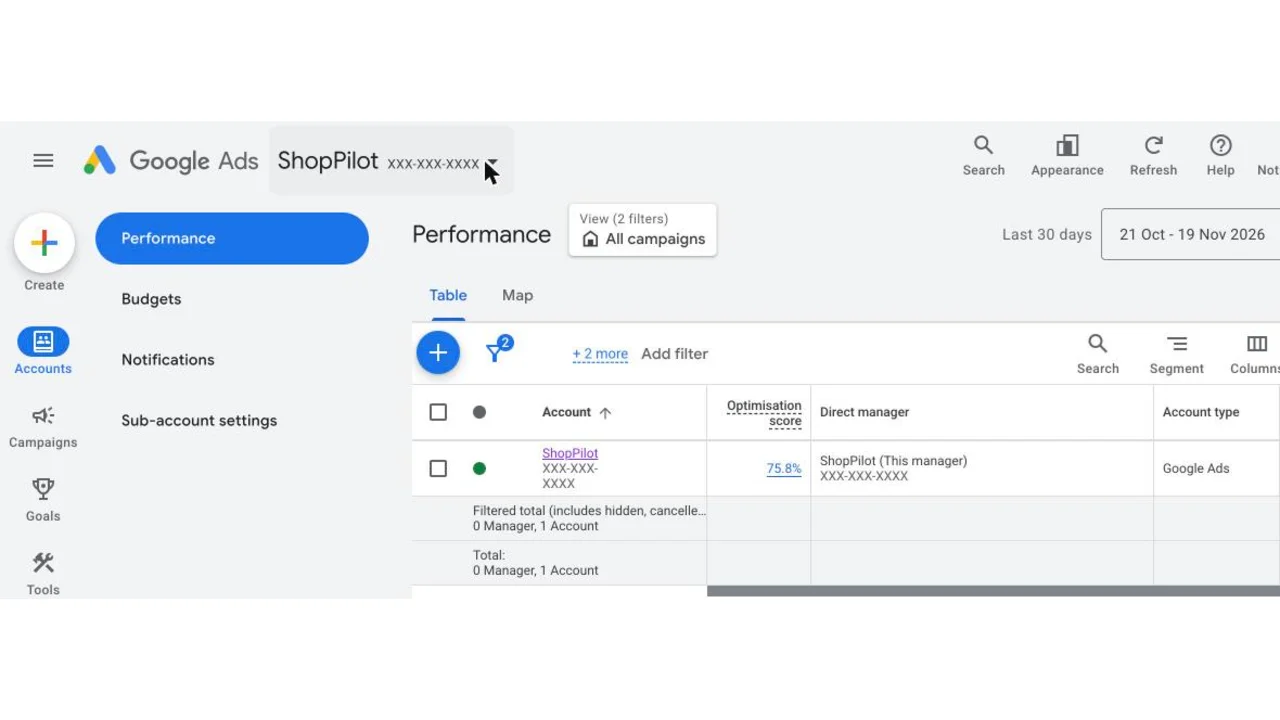
I went through the old process myself, and it was a chore. A developer token was a 22-character code that told Google which developer was calling the API. To get one, I first had to create a manager account, which is a Google Ads account that holds other accounts, even though I only had one ads account. The API Center only existed inside a manager account.
In the API Center I filled in a form and accepted the terms, and the token appeared. It started at Test access, which only works on test accounts and never on real campaigns. To touch real campaigns I had to click Apply for Basic access, which gave 15,000 operations a day. A human reviewed it, and that took days. People in Google's forums report waiting weeks with no answer.
All of that is gone. The review has moved to the Cloud console.
The four access levels
An access level is a permission on your Google Cloud project. It decides which accounts you can reach and how many operations (individual API requests that read or change something) you can make per day. The day is a sliding 24-hour window. Everything in this table comes from Google's access levels page.
| Level | What it can reach | Daily limit | How to apply | How long review takes |
|---|---|---|---|---|
| Test | Test accounts only. Never real campaigns. | 15,000 operations a day on test accounts | You do not apply. Enabling the Google Ads API in your project gives you Test. | None. It is instant. |
| Explorer | Test accounts and real (production) accounts, except the features listed in the next section. | 2,880 operations a day on real accounts, 15,000 on test accounts | On the Google Ads API Overview page, click Apply for access. | Google does not state a time. Explorer applications are usually reviewed and approved automatically. |
| Basic | Test accounts and real accounts, including the features Explorer leaves out. | 15,000 operations a day on both | On the Overview page, click Apply for access. You need Explorer first, and your project's brand verification must be complete. | Google does not state a time. Its developer token page says Basic reviews are automated. |
| Standard | Test accounts and real accounts, all services. | Unlimited operations a day, though individual services keep their own limits | On the Overview page, click Start application. You need Basic first. | About 10 business days, with a manual audit by Google's compliance team. |
A production account is an account that serves real ads. A test account never serves ads. My advice: for your own account, Explorer is almost always enough. 2,880 operations a day is plenty for reports and edits. Standard is for tools that serve many users.
Create a Google Cloud project
Google's Make your first call quickstart starts here.
- Go to the Google Cloud console and sign in with the Google account you want to own the project.
- Click Create project, give it a plain name such as "Google Ads API", and click Create.
Google says the access level belongs to the project that owns your OAuth client (for sign-in as a user) or your service account (for a robot login). You also need the role Owner, Editor, Quota Administrator or Service Usage Admin to manage access. If you made the project, you are the Owner.
You do not need a manager account any more. Google says one is only needed to manage several linked accounts.
Enable the Google Ads API
- Open the Google Ads API page in the API Library. It shows "Google Ads API", the service name
googleads.googleapis.com, and a blue Enable button. - Check the project name at the top is the one you just made. Click Enable.
Enabling the API gives the project Test access (access levels). At this point you can call test accounts, and nothing else.
Apply for Explorer access
These are Google's steps from the access levels page:
- In the Cloud console, open the Google Ads API Overview page for your project.
- Check that the current access level says Test.
- Expand Upgrade access level.
- Check that Next access level says Explorer.
- Click Apply for access.
Google may upgrade the project automatically right after you submit. If it does, you are done, and you can make the first call from Google's quickstart. If the page says "Your application for Explorer access was not approved", jump to the section on refused applications below. Do not keep clicking the button.
Apply for Basic or Standard only if you need it
Skip this step unless Explorer's limits stop you. Basic needs your project's brand verification to be complete. That is Google checking the name and domain on your sign-in screen. On the Overview page, check that the current level says Explorer, expand Upgrade access level, check that Next access level says Basic, look for any warning about incomplete brand verification, and click Apply for access (Google's steps).
Standard is the same path from Basic, but the button says Start application. Google's compliance team will email you, and the application stalls if you do not answer quickly.
What Explorer does not include
Explorer reaches real accounts, but Google's access levels page says these services need Basic or Standard:
- Keyword planning:
KeywordPlanService,KeywordPlanIdeaServiceand the other keyword plan services, plusAudienceInsightsServiceandReachPlanService. Google's page does not use the words "Keyword Planner", but these services are what is behind the tool. If you want keyword ideas through the API, you need Basic. - Account creation and linking:
CustomerService.CreateCustomerClient,CustomerClientLinkServiceandCustomerManagerLinkService. - User management:
CustomerUserAccessInvitationServiceandCustomerUserAccessService. - Billing and payments:
PaymentsAccountService,BillingSetupService,AccountBudgetProposalServiceandInvoiceService. - Multi-party approvals:
MultiPartyAuthReviewService.
Reading reports and editing campaigns, ads and keywords are not on the list.
What happens to your old token and the API Center
This is all from Google's developer token page.
- Your token still works, and it is ignored. You can leave it in your headers. Google recommends removing it, and says it will reject tokens in a future major API version.
- Your level moved to your project automatically. Google copied levels to projects based on their API activity in the 90 days before September 9. A project that never called the API with a token started at Test. Access that is unused for 90 days may be revoked.
- You cannot move a token to a new project. Apply on the Google Ads API Overview page instead.
- Basic applications you filed before the sunset were closed. Google emailed the applicants and asked them to apply again.
- The API Center is deprecated. It stays viewable for reference, and requests made there are not processed. In my manager account it still lists the old token, hidden, and an access level, with a warning that the level may no longer be accurate. It still stores your API contact email.
If a tool still asks for a developer token, it has not caught up. A user on GitHub asked Google's MCP server to work without one.
Test accounts
With Test access, you can build and check your code without touching a real account. Google's test accounts guide gives these steps:
- Sign in with a Google account that is not linked to your real manager account, or create one.
- Click Create a test manager account, then New Google Ads Account. Opening the page from that link is what makes it a test account.
- On Confirm your business information, fill in a name, country, time zone and currency. Check for the red Test account label, click Submit, then Explore your account.
- In the test manager, go to Accounts, then Create new account. Accounts made here are test accounts automatically.
- Add a test campaign, or your first call will work and return nothing.
Test accounts cannot serve ads, so impressions, conversions and cost are empty. They have no billing, so they show as cancelled accounts. A test account cannot sit under your real manager. To check, query customer.test_account, which is true for test accounts. One with no activity for a year is deleted.
The errors you still meet
Error names come from Google's AuthorizationError reference. The old token errors are marked deprecated there, so new libraries return the project errors instead.
| Error | What it means | Fix |
|---|---|---|
CLOUD_PROJECT_NOT_APPROVED_FOR_PRODUCTION: "The Google Cloud project is only approved for use with test accounts. To access non-test accounts, apply for Explorer, Basic or Standard access." | Your project has Test access and you called a real account. In API v24 and older, the same thing comes back as ACTION_NOT_PERMITTED (source). | Call a test account, or apply for Explorer on the Google Ads API Overview page. |
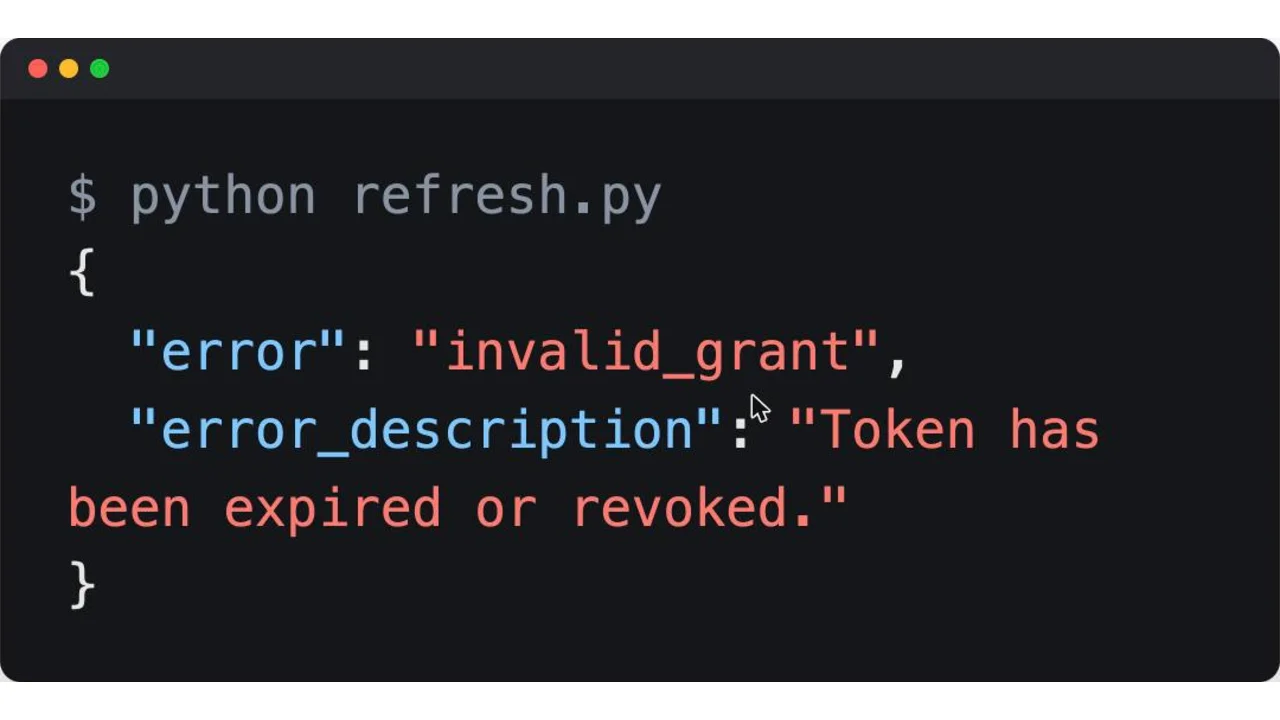
DEVELOPER_TOKEN_NOT_APPROVED: "The developer token is only approved for use with test accounts." | The old version of the same error. Deprecated. | Same fix. If you see this, your library or server is old, and sending a token no longer helps. Update it. |
DEVELOPER_TOKEN_PROHIBITED: "The developer token is not allowed with the project sent in the request." | The old error for using a token from one project with another. Deprecated, because tokens are gone. | Stop sending the token, and apply for access on the project you actually use. Reassociating a token with a new project is no longer supported. |
AUTHORIZATION_ERROR on real accounts, while test accounts work | Google lists this as a known issue for projects that had Test access before September 9 and upgraded after. The API does not honour some console upgrades. Google says a fix is rolling out. | Google's workaround is to apply for Explorer from a new Cloud project. |
USER_PERMISSION_DENIED | Not an access level problem. It is about which Google account and which manager ID you used. | See the guide to this error. |
One more from Google's known issues. If you see "Basic Access requires a successfully verified OAuth brand profile", Google says the root cause can be that the project is on a Free Trial billing account, or that its billing account is suspended or disabled. Check billing in the Cloud console. Google's workarounds are to upgrade to a paid billing account, to remove billing (which stops every paid service in the project), or to apply from a different brand-verified project.
When Explorer access is refused within a minute
Here is the part that is not solved. Since early October 2026, a number of developers report that a new project applies for Explorer access, shows "under review" for 30 to 60 seconds, and then says "Your application for Explorer access was not approved. You should have received an email with information about this decision." The email, when it comes, says the project "does not meet the eligibility criteria required for direct production account access". It gives no reason. The longest thread is issue 133 on Google's MCP server repository, where about a dozen people report it between September 30 and November 14. A thread in Google's Ads Community says the same.
What is known. Test accounts keep working, so the project is fine technically. Only production access is blocked, and since Basic needs Explorer first, that is blocked too. Google lists the problem as Known issue 1 on its developer token page and says it is working on a fix. A Google engineer on the issue said it was relayed internally and being investigated, then closed the issue because it is not specific to the MCP server. Google's stated root cause is a free trial or disabled billing account. That does not match what people report.
What people tried that did not help. All of these were reported as having no effect:
- Upgrading the billing account from the free trial to a paid account, and waiting hours, a day or a week.
- Removing billing from the project, as Google's workaround says, then applying again.
- Completing OAuth brand verification, and in one case getting data access verification for the
adwordsscope approved too. - Creating a second, fresh project. The first reporter's second project was refused too.
- Applying again and again. One person sent nine in four days, all denied. I would stop at two or three.
What I would do. There is no confirmed fix, so these are options, in this order:
- Try another project. Google's own workaround for the related issue is to apply from a different project. Make sure it has a paid billing account and finished brand verification first. It costs you ten minutes, and it is allowed.
- Contact Google Ads API support. Use the support page. Say it is the Explorer known issue, and give the project number and the time of each attempt. Expect a cold reply. One person got an automated answer that agents only handle billing, policy and Merchant Center. A maintainer on the GitHub thread also suggested Google's Discord server for Ads and Measurement.
- Use a hosted connector that already has approved access. If you only want your AI to read or change your Google Ads account, you do not need your own project at all. A hosted connector uses its own approved Google Cloud project, and you sign in with Google. This removes the application, the project and the waiting. It does not give you API access of your own, so it is no use if you are building a product. The guide to connecting Claude to Google Ads compares the routes.
Frequently asked questions
Do I still need a developer token in 2026?
No. Google retired them on September 9, 2026. Existing tokens are accepted and ignored, and Google says it will reject them in a future major API version (Google's page). Remove the token from your headers and update your client library.
Do I still need a manager account?
Not to get access. Google says you need one only to manage several linked accounts.
Why does the Google tutorial I found tell me to use the API Center?
It was written before September 9. The API Center now says access levels are managed in the Google Cloud console, that the levels it shows may be wrong, and that they cannot be upgraded there.
How long does Explorer approval take?
Google does not state a time. It says Explorer applications are usually reviewed and approved automatically, and reports show the answer, yes or no, arriving within about a minute.